
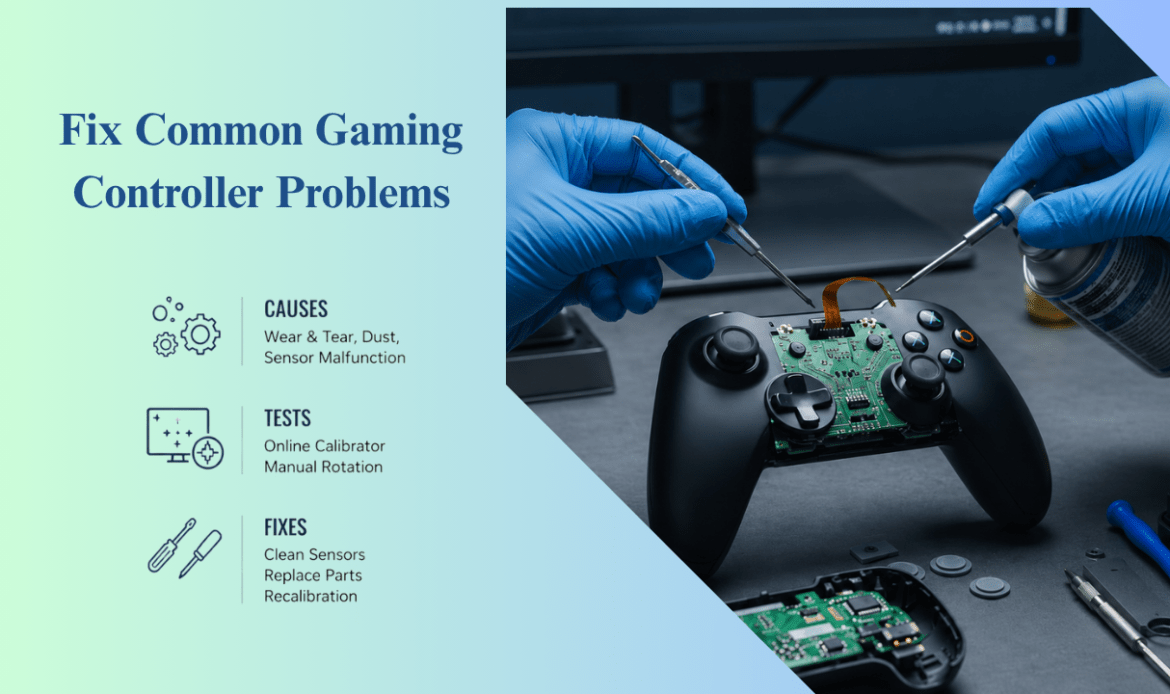
Is Your Gaming Controller Acting Up? Here’s How to Fix Common Problems
You’re in the final round. You push the stick forward and your character keeps drifting left, like it has a mind of its own. Or you press jump and nothing happens for half a second. A controller that misbehaves doesn’t just lose you the match. It makes you wonder if you need a new one.
Here’s the part most people get wrong: they replace a controller that could have been fixed in two minutes, or repaired at a shop for far less than the cost of a replacement. Before you spend any money, it helps to know what’s actually wrong. In many cases, professional gaming console repair services can diagnose and fix controller issues without requiring a full replacement, helping gamers save both time and money.
Modern controllers are small computers. A PS5 DualSense, an Xbox wireless pad, or a Nintendo Switch Joy-Con packs motors, sensors, Bluetooth, and a battery into something you hold in two hands. More parts means more things that can break, and stick drift has quietly become one of the most common gaming complaints today. The good news: most controller problems fall into a few simple buckets, and you can sort them yourself.
Start with the Power, Pair, Part check
Before you try anything fancy, run through three quick questions. Almost every controller problem traces back to one of them.
- Power: Is the controller charged, or are the batteries fresh? A weak charge causes random disconnects and laggy buttons that look like much bigger faults.
- Pair: Is it actually connected to the right device? A controller can be on, lit up, and still talking to the wrong console or PC.
- Part: Is a physical piece worn out? Drifting sticks, sticky buttons, and dead triggers usually mean a part inside has aged.
If the answer is Power or Pair, you can almost always fix it at home in minutes. If it’s a Part, that’s the point where a repair makes sense. Keep these three words in your head as you read the rest.
Why your stick drifts, and what to try first
Stick drift is when your character or camera moves on its own without you touching the stick. It’s the number one controller problem we hear about, and it hits every brand, from the DualSense to the Joy-Con.
It usually starts with dust, tiny worn parts, or moisture building up around the base of the stick. Try these before doing anything drastic:
- Power the controller off and gently clean around the stick with a cotton swab dipped in a little isopropyl alcohol.
- Use a short burst of compressed air to clear dust from the gap at the base.
- Recalibrate the stick. Most consoles and Windows have a built-in calibration or controller-test screen.
Here’s what most guides skip: cleaning buys you time, but it rarely cures drift for good. Drift is usually mechanical wear on the sensor inside, and once it’s worn, the real fix is a new stick module, not another cleaning. Nintendo’s Joy-Con are famous for this, which is why Nintendo repair jobs so often come down to a worn analog stick rather than anything the player did wrong. The same issue is frequently seen by technicians offering playstation repair vancouver services, where worn analog stick components are one of the most common controller repairs.
If cleaning helps for a day and the drift comes back, stop cleaning. You’re treating a hardware problem with a surface fix.
Buttons that stick, lag, or stop responding
When a button feels mushy or stops working, the cause is almost always one of two things: gunk underneath it, or a worn contact inside. Crumbs, drink residue, and skin oil collect under buttons over months of play.
Start simple. Power off the pad, then clean around the button edges with a slightly damp swab and let it dry fully before turning it back on. If a single button still fails after cleaning, the rubber pad or the part beneath it has likely worn down. That’s an internal repair, not a setting you can change.
When your controller won’t connect or keeps dropping
A controller that won’t pair, or keeps disconnecting mid-game, is usually a Pair or Power problem, not a broken controller. Work through it in order:
- Charge the controller fully, or drop in fresh batteries. Low power is the most common hidden cause of dropouts.
- Reset the connection. PlayStation pads have a small reset button on the back; on Xbox, hold the pair button again; on PC, remove the controller from your Bluetooth list and add it fresh.
- Move closer to the console and clear the space between you and it. Wireless signals get blocked by walls, bodies, and other devices.
If it connects fine right after a charge but drops as the battery drains, the battery is fading. That’s a part, and it can be replaced.
Streaming remotes act up for the same reasons controllers do, and the fixes look almost identical. If your Firestick remote control is not working, the cause is usually power or pairing, not a dead remote. The same troubleshooting approach used for Nintendo repair in vancouver and other gaming device issues can often help identify the problem before you replace the remote.
- Replace the batteries with fresh alkaline ones, and check the metal contacts inside for corrosion.
- Power-cycle the device. Unplug the Fire TV Stick for about 30 seconds, then plug it back in.
- Re-pair the remote by holding the Home button for around 10 seconds once the device finishes restarting.
If new batteries and a re-pair don’t bring it back, the remote’s internal board may be the problem. The same Power, Pair, Part logic that sorts a game controller sorts a streaming remote too.
When to stop trying and book a controller repair
Stop the do-it-yourself fixes when the problem is clearly a worn part: drift that returns after cleaning, a button that’s physically dead, a trigger that won’t spring back, or a charging port that only works at one angle. These are mechanical faults. No reset or recalibration fixes them, and forcing it often makes things worse.
This is where a repair shop earns its keep. A technician can swap a stick module, replace a tired battery, or repair a charging port for a fraction of a new controller’s price, and you keep the pad you’re already used to. If you’d rather hand it to someone who does this every day, gaming console repair in Vancouver covers controllers as well as the consoles themselves, and PlayStation owners fighting DualSense drift can go straight to PlayStation repair.
The honest rule is simple: if the fix is software or cleaning, do it yourself. If it’s a part, get it repaired. Tossing out a controller for one worn stick is like junking a car over a flat tire.
Conclusion
Most controller problems feel worse than they actually are. Stick drift, connection drops, unresponsive buttons, and battery issues often have straightforward causes that can be identified with a little troubleshooting. The Power, Pair, Part method gives you a simple way to narrow down the problem before spending money on a replacement. In many cases, a quick clean, reset, or recalibration is enough to get you back in the game. When the issue comes down to a worn component, a professional repair is usually the more practical and cost-effective option. This is why many gamers turn to electronic repair in Vancouver services when basic troubleshooting no longer solves the problem. Understanding the difference between a temporary glitch and a hardware fault helps you make the right decision, save money, and extend the life of your controller instead of replacing it unnecessarily.