
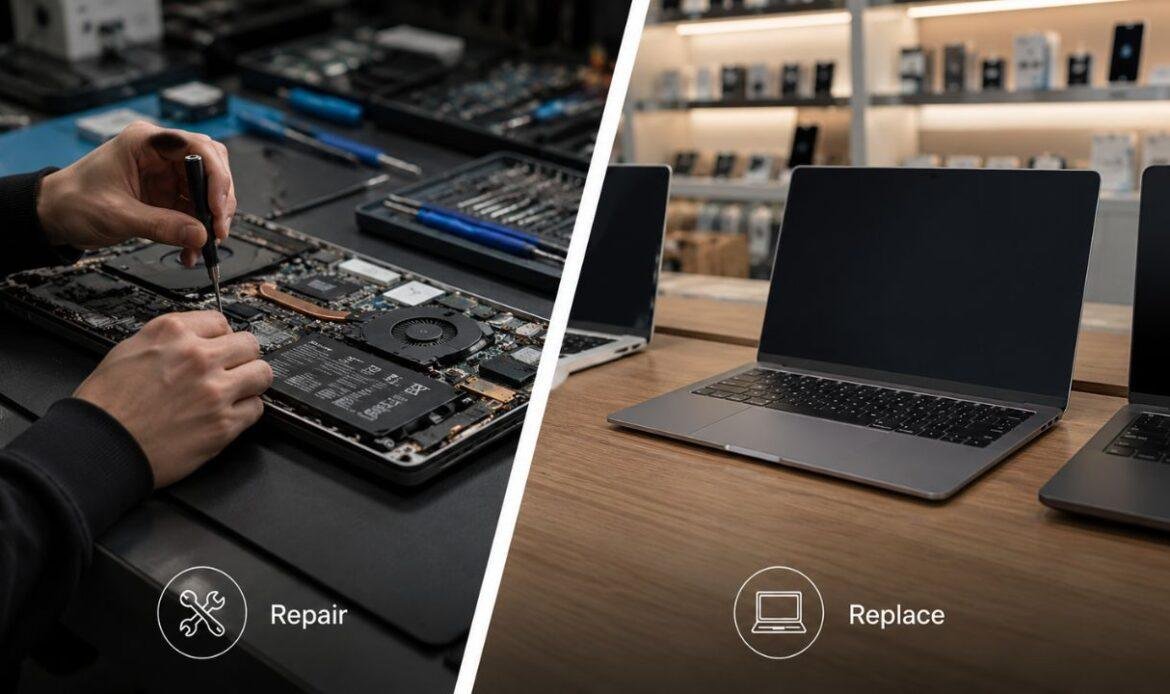
Repair or Replace Your Laptop? Here’s How to Make the Right Choice
Your laptop just froze again, the battery drains in an hour, and now you’re staring at the screen wondering what to do next. This is one of the most common questions people ask when their laptop starts acting up: should you get it fixed, or is it time to buy a new one? There’s no single answer that fits everyone, but there are clear signs that point you in the right direction. If you’re dealing with a slow, glitchy, or damaged laptop, a good laptop repair service can often tell you within minutes whether your device is worth saving. This guide walks you through exactly how to make that call, without any guesswork.
How Do You Know When It’s Time to Repair or Replace?
Before you decide anything, take a step back and look at the full picture. A single problem doesn’t always mean your laptop is done for, but a pattern of problems usually does. Here’s what to check first:
- Age of the laptop: Most laptops are built to last between three and five years with normal use. If yours is under three years old, repair is almost always the smarter move.
- Type of damage: A cracked screen, a worn-out battery, or a sticky keyboard are usually simple, affordable fixes. A fried motherboard or severe liquid damage is a different story.
- Performance before the issue started: If your laptop ran fine until one part failed, that’s a strong sign a repair will bring it right back to normal. A common example is a battery that no longer holds a charge, which a battery replacement service can usually resolve in under an hour.
- How you use it: Someone who just browses, emails, and streams videos doesn’t need the latest hardware. Someone editing video or running heavy software might outgrow an older machine faster.
Weighing these four points together gives you a much clearer answer than just looking at your laptop and guessing.
Is It Worth Repairing a Laptop? Look at These Factors
This is the question most people actually want answered: is it worth fixing a laptop, or should the money go toward something new? The honest answer depends on cost, not emotion. Here’s how to break it down:
- Compare the repair cost to the laptop’s value: If fixing the laptop costs less than half of what a similar new model would cost, repair is usually worth it.
- Check if the problem is isolated: A single faulty part, like a charging port that won’t hold a connection, is a quick and inexpensive fix. If you’re dealing with a laptop that won’t charge properly, a charging port repair is often all it takes to get back up and running.
- Think about your data and setup: Repairing keeps your files, programs, and settings exactly as they are. Replacing means starting over, transferring files, and reinstalling everything you use daily.
- Ask about the warranty: Many repair shops offer a warranty on parts and labor, which adds peace of mind that a private laptop sale never will.
When the damage is limited to one part and the laptop still performs well otherwise, repairing is almost always the more practical and affordable choice.
How Often Should You Replace Your Laptop?
“How often should I replace my laptop?” is one of the most common questions people ask, especially if their current laptop has already been repaired once or twice. On average, a well-maintained laptop lasts three to five years before it starts to struggle with newer software and updates. Business laptops used daily under heavy workloads may need replacing closer to the three-year mark, while a laptop used mainly for browsing and typing can often stretch past five years with the right care. Keyboard issues are a common reason people think about replacing their laptop too early. But typing problems, like keys registering the wrong letters or not responding at all, are usually caused by dust, a loose connection, or worn-out keys rather than a dying laptop. A keyboard repair can solve this in one visit, saving you from an unnecessary replacement.
When to Replace Laptop Instead of Repairing
There comes a point where repair no longer makes sense, and it’s important to recognize it early so you don’t waste money. Here are the clearest signs it’s time to replace rather than repair:
The laptop struggles with basic tasks even after a clean-up, the battery, screen, and hardware have all needed repairs within a short span of time, or the cost of a single repair comes close to the price of a new laptop. Another common red flag is a screen that flickers constantly, dims randomly, or shows strange lines even after basic troubleshooting. In many cases this points to a failing display panel or a loose internal cable, and a quick look from a technician who handles laptop screen flickering issues can confirm whether it’s a simple fix or a sign of bigger problems ahead. If the laptop also can’t run current software updates or feels sluggish no matter what you try, that combination usually means it’s reached the end of its useful life.
The Cost Comparison: Repair Price vs New Laptop Price
Money is often the deciding factor, so it helps to think about it in real numbers rather than guesswork. Most common laptop repairs, such as battery swaps, keyboard fixes, or charging port replacements, cost a fraction of what a new laptop would cost. A mid-range laptop typically costs several hundred dollars or more, while individual repairs are usually much cheaper and take far less time than shopping for, setting up, and transferring data to a new device. The exception is when multiple parts fail at once, or when the repair estimate creeps close to half the price of a replacement. At that point, spending on a new laptop gives you better long-term value, since a heavily repaired older laptop may still fall behind newer software requirements within a year or two anyway.
It also helps to factor in the hidden costs of replacing a laptop, since these are easy to overlook when comparing price tags. Setting up a new device takes time: transferring files, reinstalling software, signing back into accounts, and getting used to a different keyboard or trackpad layout. There’s also the environmental side to consider, since repairing a laptop instead of throwing it away keeps electronic waste out of landfills. None of this means repair is always better, but it does mean the sticker price of a new laptop isn’t the full story when you’re weighing your options.
Conclusion
Deciding between repairing and replacing your laptop doesn’t have to be complicated once you look at the real factors: age, type of damage, repair cost, and how you actually use the device. If your laptop is under three years old and the problem is limited to one part, repair is almost always the better and more affordable option. If it’s older, has needed multiple repairs, or the fix costs nearly as much as a new laptop, replacement makes more sense in the long run. Whatever you decide, getting a proper diagnosis first will save you from paying for the wrong solution. You can always start by having your laptop checked out at iFix Technology to get a clear answer before spending a single dollar.
Frequently Asked Questions
Q1. Is it cheaper to repair a laptop or buy a new one?
The answer depends on the repair cost and the laptop’s age. If the repair costs less than 50% of a new laptop and the device still meets your needs, repairing is usually the more cost-effective choice.
Q2. How do I know if my laptop is beyond repair?
A laptop may be beyond repair if it has severe motherboard damage, multiple hardware failures, or repair costs that are close to the price of a replacement. A professional inspection can help confirm the best option.
Q3. What laptop problems are usually worth repairing?
Issues such as battery failure, cracked screens, faulty keyboards, charging port problems, overheating, and slow performance caused by replaceable hardware are typically worth repairing because they are common and relatively affordable to fix.
Q4. How many years should a laptop last before replacing it?
Most laptops last 3 to 5 years with regular use and proper maintenance. Premium or business laptops may last longer, especially if components like the battery or SSD are replaced when needed.
Q5. Can upgrading my laptop be better than replacing it?
Yes. If your laptop supports upgrades, adding more RAM or replacing the hard drive with an SSD can significantly improve performance, making an upgrade a more affordable alternative to buying a new laptop.