
Phone Overheating Issues? Battery Replacement Solutions
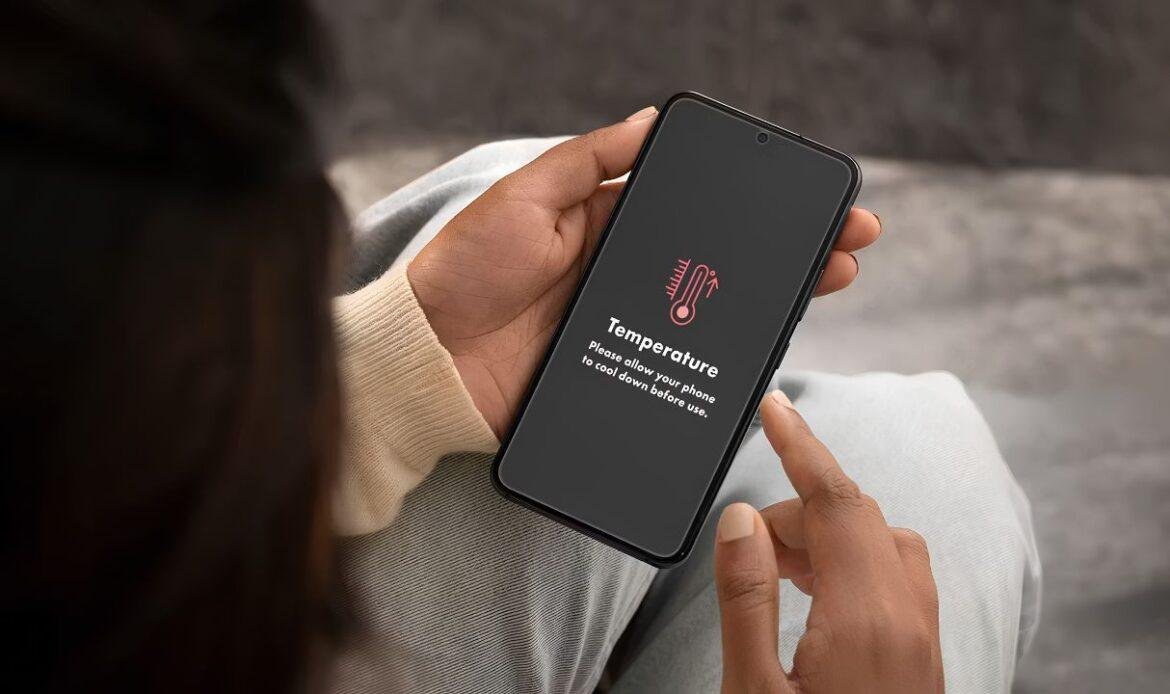
Your phone gets warm during a long video call. That is normal. Your phone gets hot sitting on a table doing nothing, then falls from 60 percent to 20 percent in an hour. That is not normal. Phone overheating that appears while the device is idle usually points to one part, and it is the part most people check last. If the heat keeps coming back, it is worth having a proper battery replacement looked at before the cell wears down any further.
If you have already closed background apps, dropped the brightness, and removed a thick case, and the phone is still hot, the cause has moved past software. Heat and battery wear feed each other. A tired cell works harder to hold voltage, that work turns into heat, and heat wears the cell down faster. Apple notes that using a device in very hot conditions can permanently shorten battery life, and that iPhones are built for ambient temperatures between 0 and 35 degrees Celsius, as explained in its guide on what to do if your iPhone gets too hot or too cold. That loop does not stop on its own, and a trained phone repair technician is the fastest way to confirm what is actually happening inside the device.
Why aging cell phone batteries turn into heaters
A worn cell creates heat because its internal resistance rises. Every lithium cell pushes current through a small amount of internal resistance, and some of that energy is lost as heat rather than power. When a battery is new, that loss is tiny. After a few hundred charge cycles, resistance climbs, and the same phone call produces noticeably more heat than it did in year one.
Most people blame the phone. The phone is fine. It is doing what it was designed to do with a part that no longer performs.
There is a second effect that gets missed. As the cell weakens, voltage sags under load, so the phone draws more current to keep the screen and processor running. That produces more heat again. This is why an old phone can feel hot during simple tasks like maps or a podcast, jobs it handled cold two years ago. Voltage sag is measurable, which is why an expert phone repair technician tests the cell under load instead of guessing from symptoms alone.
The HEAT Check: a four-step test before you replace anything
Use the HEAT Check to decide whether the battery is actually the cause. Four signals, no tools required. If three or four match your phone, the battery is the problem. If only one matches, look elsewhere before spending money.
H – Heat pattern
When the heat appears matters more than how hot it feels.
- The phone is warm while idle, screen off, sitting still.
- It heats up on the charger before you have touched it.
- It is hot in a cool room, not just outdoors or in a car.
- It stays warm long after you stop using it.
App heat behaves differently. It arrives during heavy use and fades within minutes of putting the phone down. Battery heat lingers.
E – Empty too fast
Rapid drain paired with heat is the strongest single signal. A healthy phone loses charge in a smooth line. A failing one drops in steps.
- The percentage jumps down several points at once.
- The phone shuts off at 20 or 30 percent, then shows charge again once plugged in.
- It reaches 100 percent quickly, then empties just as quickly.
- Cold weather makes shutdowns worse, which is common through a Vancouver winter.
A – Age and cycle count
Age answers the question faster than any symptom. Batteries in iPhone 14 models and earlier are designed to hold 80 percent of original capacity at 500 full charge cycles, while iPhone 15 models and later are rated at 1000 cycles, according to Apple’s page on iPhone battery and performance. Most people reach 500 cycles between year two and year three. On an iPhone, open Settings, then Battery, then Battery Health and Charging. Below 80 percent maximum capacity is a worn cell. On Android, check battery usage in Settings or the manufacturer’s diagnostic app.
T – Touch point
Where the heat sits tells you which part is failing. Almost nobody does this step, and it is the most useful one.
Feel the back of the phone with the screen off. Heat centred in the middle or upper back usually sits over the battery. Heat at the bottom edge, around the charging port, points at the port, the cable, or the charging circuit. Heat near the top, close to the camera, is more often the processor working hard, which means software.
When a battery replacement fixes overheating, and when it does not
A cell phone battery replacement solves the problem when the heat is coming from the cell itself. It does not solve anything when the heat is a symptom of something further down the board. This is the part where money gets wasted.
In most cases we see, a phone that is two to four years old, runs hot while idle, and shows capacity under 80 percent gets fixed by a new cell and stays fixed. The most common mistake is the opposite case: a phone that only gets hot while charging, with a battery still reading 90 percent capacity. That is rarely the cell. It is usually the charging port, a damaged cable, or a power management fault, and a new battery changes nothing. This kind of heat is often mistaken for a battery issue, but it is closer to the symptoms covered in this guide on an iPhone not working right, where the charging system, not the cell, is usually the real cause.
One more case worth naming. If the back has lifted, the screen sits proud of the frame, or there is a visible bulge, stop charging it and stop using it. A swollen cell is a safety issue, not a performance one.
Check the software side first
Software causes more overheating complaints than failing hardware does, and it costs nothing to rule out. Restart the phone, update the operating system, and check which apps are using the most battery in Settings. A single app stuck in a loop can hold the processor at full load for hours. Location services running in the background do the same thing. For a broader rundown of causes like these, see this guide to common phone problems and easy fixes.
If the heat comes with lag, random restarts, or apps closing on their own, the cause may not be the battery at all. These are usually signs of a software conflict or a processor working overtime, not a failing cell.
Also give the phone two or three days after an update before you judge it. Phones run hot while they reindex files after a system update or a restore. That heat is temporary.
The quality of the part decides the result
A cheap cell brings the heat back within months. Low cost generic cells often skip the protection circuit that regulates charging current and voltage, which is the component that keeps a battery from running hot. This is why some phones start overheating shortly after a repair rather than before it. A poor quality replacement phone battery can also trigger a service message on newer iPhones, or report health figures that do not match reality.
Ask two questions before any mobile phone battery replacement: what grade of cell is being installed, and what warranty covers it. A shop that answers both clearly buys decent parts.
Conclusion
Heat is information. A phone that runs hot while idle, drains in steps, and has passed the 500 cycle mark is telling you the cell is finished, and a new one will fix it. A phone that only heats while charging is telling you something else, and swapping the battery wastes your money. Run the HEAT Check first, then decide. If the signals point at the battery and you would rather have it tested properly, iFix Technology is on Main Street in Vancouver and can check the cell, the port and the charging circuit before recommending anything.