
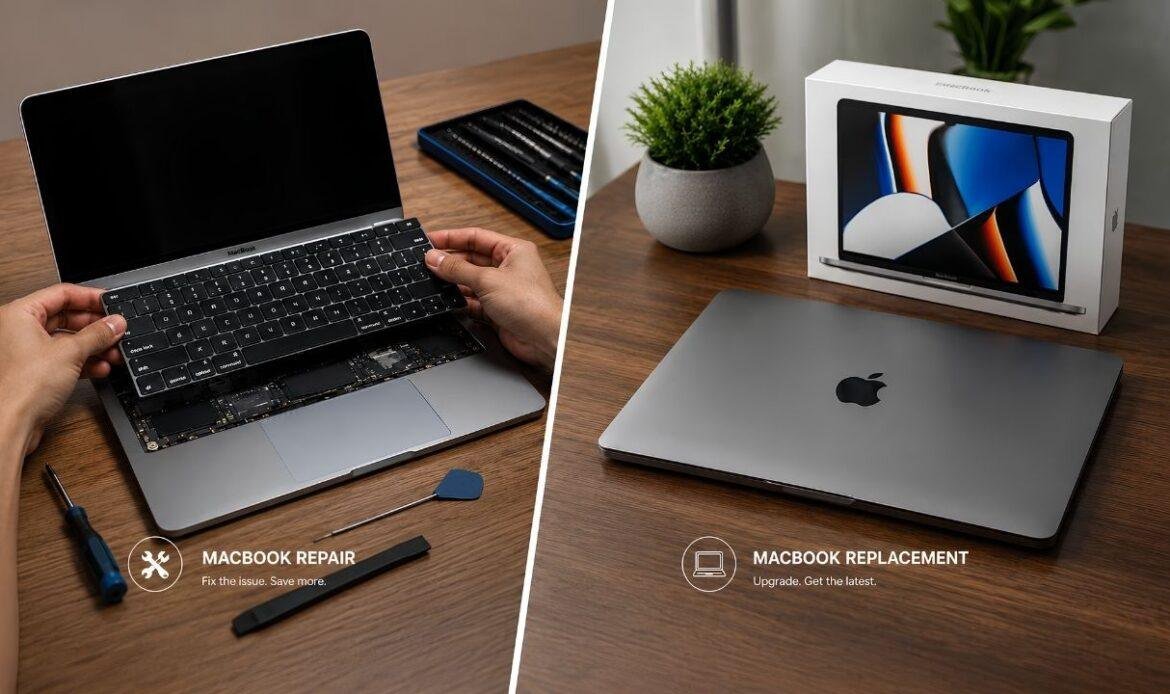
Is It Worth Replacing Your MacBook Keyboard or Buying a New MacBook?
A broken key on a MacBook is a small problem that feels like a big one. One stuck spacebar or a dead “e” key slows down every email, search, and message you type. Then you look up repair prices, see a number in the hundreds, and wonder if that money would be better spent on a new laptop. A quick MacBook repair check-up can tell you which case you’re in, but it helps to understand the numbers first. Both choices can be right. It depends on how old your MacBook is, what the repair actually involves, and what else is going on inside the machine. This guide walks through why keyboards fail, what a replacement costs, and how to decide between fixing the keyboard and starting fresh.
Why MacBook Keyboards Stop Working
Not every keyboard problem has the same cause, and the cause changes what the fix will cost. Dust, crumbs, and hair under the keys are the most common issue. They make keys feel mushy, stop them from registering, or cause double letters. Liquid spills are the next big one. Even a small splash of coffee can seep under the keys and corrode the tiny contacts underneath. A swollen battery can also push up on the keyboard from below and make keys stiff or hard to press.
The model matters too. MacBooks sold from 2015 to 2019 used Apple’s thin butterfly keyboard, which failed so often that Apple ran a free repair program for it. That program ended in late 2024, so those repairs are now paid. Models from 2020 onward use the scissor-style Magic Keyboard, which is far more reliable. And sometimes the keyboard itself is fine. If your keys press normally but the keyboard is typing wrong characters, the cause is usually a software setting or a layout mix-up rather than damaged hardware.
How Much Does a MacBook Keyboard Replacement Cost?
If you’ve searched for keyboard Mac replacement prices, you’ve probably noticed the numbers vary a lot. Here’s why. On most MacBooks, the keyboard is riveted into the top case, the metal frame that also holds the trackpad and battery. Apple doesn’t replace the keyboard on its own. It replaces the whole top case. Out of warranty, that usually costs a few hundred dollars and can pass $800 on larger Pro models in Canada. The upside is that you get a new battery and trackpad in the same repair.
Independent repair shops often price things differently. A single loose or missing key is a small job that costs a fraction of a full replacement. A full keyboard replacement usually comes in below Apple’s price. Shops can use compatible parts, and they don’t always need to swap the battery and trackpad at the same time. Prices climb for newer Pro models and for machines with liquid damage. If a spill reaches the logic board, you’ll be looking at motherboard repair on top of the keyboard, and that changes the math completely. Always ask for a diagnosis before you agree to anything, since a loose cable or a software problem can cost far less than a new keyboard.
When Replacing the Keyboard Is Worth It
A keyboard repair makes sense more often than people expect. These are the signs that point toward fixing what you already have.
Your MacBook Is Less Than Five Years Old
Any MacBook with an Apple silicon chip (M1 or newer, sold from late 2020 on) is still fast and still gets new macOS updates. It also holds good resale value. Spending a few hundred dollars to keep a machine like that running is usually the smart move.
The Rest of the Machine Works Fine
Is the screen bright? Does the battery last through the day? Do your apps run without lag? If so, the keyboard is one failed part on an otherwise healthy computer. Replacing one part is cheaper than replacing all of them.
The Repair Costs Less Than Half the Laptop’s Value
Here’s a common rule of thumb. If the repair costs under half of what your MacBook is worth today (not what you paid for it), repair it. Check what your model sells for use, then compare. A $350 keyboard fix on a MacBook worth $1,200 is an easy yes.
When Buying a New MacBook Makes More Sense
Sometimes the honest answer is to stop putting money into an old machine. Here’s when a new MacBook wins.
Your MacBook Has an Intel Chip
If your MacBook was made before late 2020, it runs on an Intel processor. Apple has confirmed that macOS Tahoe is the last version for Intel Macs, and many older Intel MacBooks were left out even before that. Security updates continue for a few years, but new features and some new apps won’t. Paying for a full top case on a 2017 or 2018 model means investing in a laptop that’s already on its way out.
More Than One Thing Is Failing
When problems stack up, the bill grows fast. A dead keyboard plus a weak battery plus a laptop that keeps overheating is not one repair. It’s three. The total often gets close to the price of a new entry-level MacBook, and you still end up with an old machine at the end of it.
A New MacBook Costs Less Than You Think
In 2026, the MacBook Neo starts at $799 in Canada and the MacBook Air starts at $1,499. If a repair quote on an older Pro is pushing $800 or more, you’re within reach of a brand-new laptop. That comes with a full warranty and years of software support ahead of it.
Simple Fixes to Try Before You Decide
Before you pay anyone, spend ten minutes ruling out the easy stuff. The steps to fix keyboard MacBook Pro problems are the same ones you’d use on an Air. Restart the laptop first. Then open System Settings and check the keyboard layout and the accessibility options, since Slow Keys or Mouse Keys can make working keys seem broken. Plug in an external keyboard. If it types fine, the problem is in your MacBook’s hardware, not its software.
Fixing MacBook Air keyboard issues caused by crumbs is often possible at home. Hold the laptop at a steep angle and spray compressed air across the keys in short bursts, left to right, then turn it and repeat. Wipe sticky keys with a slightly damp, lint-free cloth. What you shouldn’t do is pry keys off a butterfly keyboard. The clips are fragile and break easily, turning a free cleaning into a paid replacement. If none of this helps, or the laptop has been near liquid, stop there. A shop that can repair laptop keyboard damage safely is a better route than opening the case yourself.
Conclusion
There’s no single right answer, but there is a simple way to think about it. Add up the age of your MacBook, the repair quote, and the number of things going wrong. A MacBook with an Apple silicon chip and one bad keyboard is almost always worth repairing. An Intel MacBook from 2019 or earlier with a keyboard problem and a tired battery is usually better replaced, especially now that new MacBooks start under $800. If you’re still not sure, a diagnosis from a shop like iFix Technology will show you exactly what’s broken and what it costs to fix. That lets you decide with real numbers instead of guesses. Don’t let one stuck key push you into a rushed choice. Get the facts, compare the costs, and pick the option that gives you the most working years for your money.
Frequently Asked Questions
Q1. Can you replace just one key on a MacBook?
Yes, on most models. If only the keycap or clip is broken, a technician can replace the individual key. If the switch has failed or there is corrosion, the entire keyboard may need replacement.
Q2. Does AppleCare+ or the warranty cover a MacBook keyboard replacement?
If the keyboard fails due to a manufacturing issue, Apple’s one-year warranty or AppleCare+ may cover it. Accidental damage, such as spills or drops, is generally covered only by AppleCare+, with a service fee.
Q3. How long does a MacBook keyboard replacement take?
A local repair shop can often complete the repair the same day or within a few days if the part is available. Apple repairs may take several days to a week. Always confirm the expected turnaround time.
Q4. Is it worth fixing the keyboard on a seven-year-old MacBook?
Usually not if the repair is expensive. Older MacBooks may also have aging batteries and limited macOS support. A cheap key repair can make sense, but a costly full keyboard replacement may not.
Q5. Will replacing the keyboard erase my data?
No. Your data is stored on the MacBook’s storage, not the keyboard. However, it’s always best to create a Time Machine backup before any repair for extra protection.