When a Samsung screen cracks, flickers or stops responding, most people ask the same question: can it be repaired, or does the whole screen need to be replaced? The answer depends on how deep the damage goes. A problem on the outer glass is very different from a fault in the display panel underneath.
Knowing the signs helps you understand what is wrong before you visit a repair shop. It also helps you ask the right questions and avoid paying for more work than your phone needs. This guide covers the warning signs for each fix, what each one involves, and how your Galaxy model and its age affect the choice.
If your screen shows a clear picture and responds to touch everywhere, a smaller repair is often possible. If you see coloured lines, ink-like spots, constant flicker or areas that ignore your touch, the display panel has failed and needs to be replaced.
Repair or Replace? It Depends
Your Galaxy screen has three layers bonded together: the cover glass on top, a thin touch layer in the middle, and the AMOLED panel that makes the picture. Where the damage sits decides the fix.
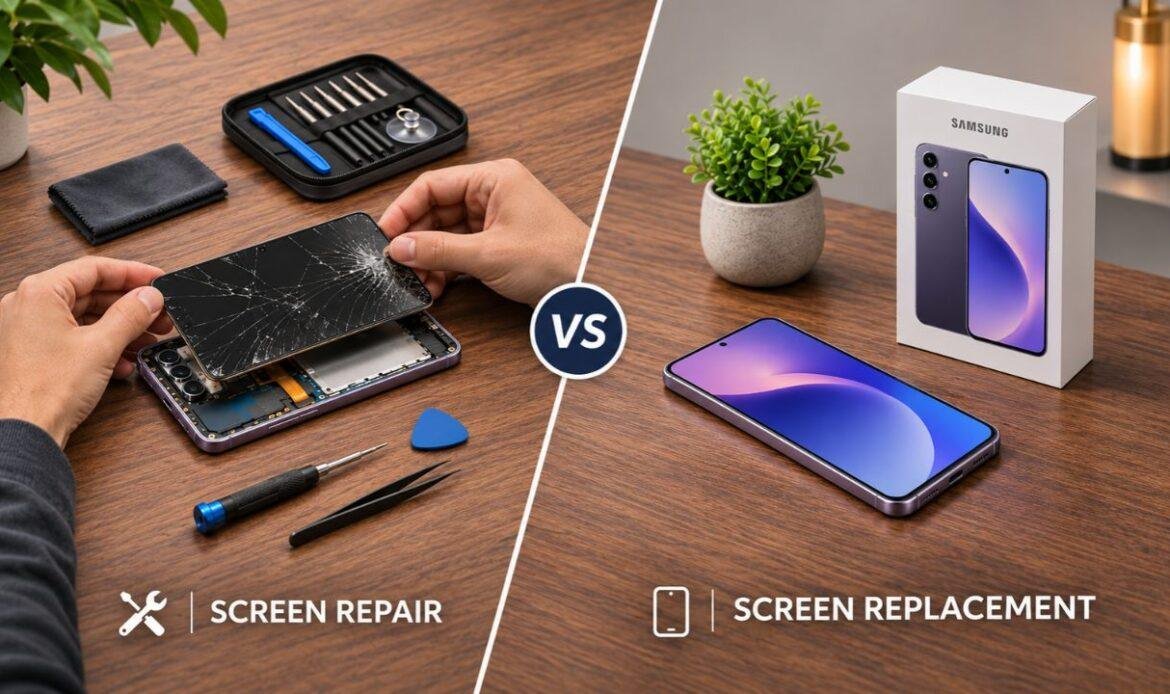
Samsung Screen Repair –
A repair solves the problem without fitting a new display panel. It usually means one of these:
- Replacing a cracked screen protector
- Fixing a software fault that makes the screen act up
- Reconnecting a display cable that came loose in a drop
- Swapping only the top glass, which some shops offer on certain models
Samsung Screen Replacement –
A replacement means fitting a complete new display assembly. On many Galaxy models, this part comes pre-fitted in a new frame, so a bent or cracked frame is also replaced at the same time.
Samsung splits its own service the same way. Its support team explains the difference between a display-only repair and a full screen replacement, where the frame and nearby parts are swapped too.
The Glass, Touch, Picture Check
Ask yourself three questions. Each one matches a layer of the screen.
- Glass: Is the damage only on the surface, with a clear picture and normal touch?
- Touch: Does every part of the screen respond, with no dead spots or taps you did not make?
- Picture: Do you see lines, spots, ink stains, flicker, a colour tint, ghost images or a black screen?
A “yes” on the first question alone points to a repair. Any problem with touch or picture means the damage has passed the glass, and replacement is the usual fix.
Signs Your Screen Can Likely Be Repaired
These signs point to a smaller fix. A technician should still confirm it, since a drop can cause damage you cannot see.
Only the Screen Protector Is Cracked
Many people think the screen is broken when only the tempered glass protector has cracked. If the crack stops at the protector’s edge and the screen below looks clean, a new protector solves it.
A Small Chip or Hairline Crack
A tiny crack with a perfect picture and normal touch is the best case for a repair. Glass-only work needs special equipment, so it is not offered for every model. Cracks near curved edges often end in a full replacement anyway.
Glitches That Look Like Software
Flicker that started after an update, colours that change in just one app, or a screen that freezes and then recovers may not be hardware at all. These faults can often be fixed without opening the phone.
A Black Screen, but the Phone Still Rings
If your phone vibrates, rings or plays sound while the screen stays dark, the display may still be fine. A hard drop can loosen the connector between the screen and the main board. Reseating that connector costs far less than a new display.
Touch Problems That Began With a New Accessory
Ghost touches that started right after you added a new protector, case or charger are not always a screen fault. A thick protector or a poor-quality charger can confuse the touch layer. A good technician rules these out before suggesting a new screen.
Signs Your Screen Needs Replacement
These signs mean the touch layer or the display panel has failed. Because the layers are bonded, a Samsung screen replacement with a complete new display is the reliable fix.
Black or Purple Ink Spots
Dark blotches that look like spilled ink mean the AMOLED panel is damaged. They tend to spread over days or weeks until a large part of the screen goes dark.
Green, Pink or White Lines
Thin coloured lines across the screen are a common Samsung display fault. They can show up after a drop, after pressure in a pocket, or with no clear cause. Lines that stay after a restart point to a failed panel or internal connection.
Dead Touch Zones or Constant Ghost Touch
If parts of the screen ignore your finger, or the phone taps, types and opens apps by itself, the touch layer is damaged. On Galaxy phones, touch is built into the display, so the full screen must be replaced.
Burn-In or Ghost Images
Burn-in looks like a faint, permanent shadow of the keyboard, navigation bar or status icons. It builds up on older AMOLED screens after years of use at high brightness. It never fades, so a new display is the only way to remove it.
Flicker, Dim Patches or a Colour Tint That Stays
Constant flicker, darker areas, or a yellow, green or pink tint across the screen are signs of a hardware fault. If the problem shows on the lock screen and in every app, the panel is the likely cause.
Deep Cracks, Missing Glass or Broken Edges
Spider-web cracks, missing pieces or sharp edges almost always damage the layers below. Cracked curved edges are harder still, because the glass and panel bend together.
A Bent or Cracked Frame
If the drop also dented or bent the metal frame, a new display may not sit flat. In this case, a display assembly that comes with a new frame is the safer choice.
The Screen Is Lifting Away From the Phone
A screen pushing up from the frame, or a gap along one side, is often caused by a swollen battery. Stop using and charging the phone. It will likely need a battery replacement along with a new screen, since a swollen battery is a fire risk.
What Else Affects the Repair or Replacement Decision?
The Grade of the Replacement Part
Shops usually offer three grades of screen: new original Samsung parts, used original parts pulled from other phones, and compatible aftermarket screens. Original parts match the factory brightness, colour and touch feel. Cheap LCD-style copies are often dimmer and thicker, use more battery, and can stop the under-screen fingerprint sensor from working. When you compare screen replacement Samsung quotes, ask which grade each price covers.
Water Resistance
Galaxy phones are sealed with adhesive at the factory. Any screen replacement breaks that seal. A good shop fits a new one, but assume your phone may not handle water as well as it did when new.
Warranty and Samsung Care+
If your phone is still under warranty or Samsung Care+, check your coverage before booking. Repairs done outside the manufacturer can affect what your plan covers later.
A Phone You Are Still Paying Off
If your phone is on a financing plan or a carrier contract, a Samsung phone screen repair is usually smarter than buying a new device. You avoid paying for two phones at once.
When Replacing the Phone Makes More Sense
Sometimes the honest answer is a new phone, not a new screen. Think about upgrading if:
- The repair costs more than about half of what your phone is worth today.
- The phone also has a weak battery, a faulty charging port or camera problems. Our guide to common Samsung phone problems can help you spot them.
- A hard drop or water has also damaged the main board on a phone that is five or more years old.
- Your model no longer gets security updates.
Newer flagships are a different story. Samsung promises up to seven years of software updates for the Galaxy S24 series onward, so a screen fix on these phones buys you years of use.
Is It Safe to Keep Using a Cracked Samsung Screen?
For a short time, a small crack is usually fine. Over weeks, it rarely stays small.
Cracks spread with everyday pressure, and ink spots grow. Broken glass can cut your fingers. Open cracks also let in dust and moisture, which can lead to water damage repair on top of a new screen.
Ghost touch adds another risk. A phone that taps by itself can call contacts or send messages without you knowing. A crack that was repairable early can turn into a full display replacement if you wait.
Conclusion
Surface damage, a loose cable or a software glitch can often be repaired. Ink spots, coloured lines, dead touch areas, burn-in, a bent frame or a lifting screen mean the display has failed and must be replaced. Your model, the part grade and the phone’s age then decide whether the fix is worth it.
Start with the Glass, Touch, Picture Check and the screenshot test, then visit your nearest trusted repair store for a proper inspection. An experienced technician can confirm the real cause and walk you through your options. For model-specific help, a dedicated Samsung phone repair service is the best place to start.
Frequently Asked Questions
1. Is Samsung screen repair cheaper than screen replacement?
Usually, yes. A new protector, a software fix or a reconnected cable costs far less than a new display assembly. Price still depends on your model and the full extent of the damage.
2. Can a Samsung screen be fixed without replacing the whole display?
In some cases. If only the protector, the top glass or a connection is the problem, a smaller fix may work. Once the picture or touch is affected, the whole display has to go.
3. Does a Samsung display replacement fix touch problems?
Yes. The touch layer is part of the display on Galaxy phones, so a new assembly replaces it too. If touch problems continue after that, the fault is likely on the main board or in the software.
4. Will I lose my data during a screen replacement?
No. Your photos, apps and files live on the phone’s internal storage, not on the screen, so a display swap leaves them untouched.
5. How long does a Samsung screen replacement take?
For common models, many shops finish the same day, often within an hour or two when the part is in stock. Foldables and less common models can take longer if the part has to be ordered.